Last updated: August 6, 2026
How to Build a Multi-Vendor Marketplace: The Complete Guide (2026)
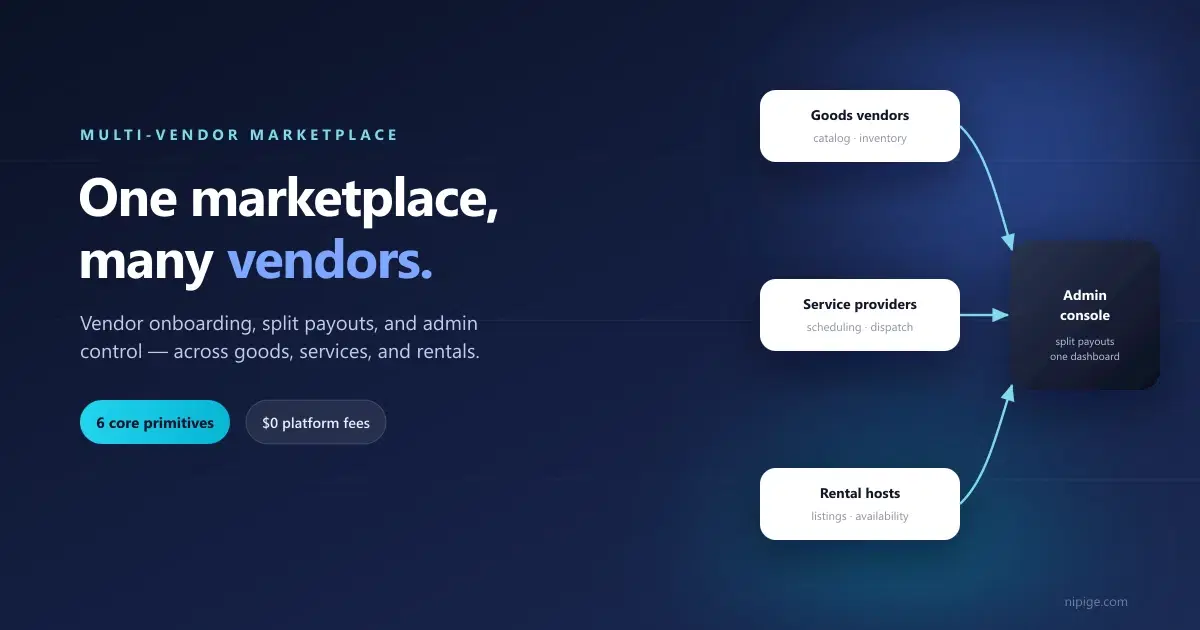
To build a multi-vendor marketplace you need six core pieces: vendor onboarding, a product or service catalog, order routing, split payouts, an admin console, and trust features. You can code these from scratch or configure them on a no-code platform like Nipige, which launches a branded marketplace in about 14 days.
Updated for 2026: the build-vs-buy math has shifted. A custom multi-vendor build still runs into five or six figures and months of work, while no-code platforms now ship the vendor model, split payouts, and native apps out of the box, cutting time-to-launch to about 14 days.
Every multi-vendor marketplace, whether it's selling goods, dispatching service providers, or booking rentals, is solving the same underlying problem: get many independent sellers onto one storefront, take a cut, and make the whole thing trustworthy enough that strangers transact with each other. The vertical changes the surface. The primitives underneath don't.
This guide covers what "multi-vendor" actually means, the six primitives every multi-vendor marketplace needs regardless of what's being sold, how the economics differ across goods, services, and rentals, what it actually costs to build one, and a step-by-step plan to launch.
What "Multi-Vendor" Actually Means
A single-vendor store, one restaurant's ordering app, one landlord's rental listing, one contractor's booking page, has one seller and one catalog. Simple.
A multi-vendor marketplace puts many independent sellers under one branded storefront. Each vendor manages their own catalog (or schedule, or listings), sees only their own data, and gets their own payout, while customers browse and transact across all of them in a single experience. The operator sits in the middle, taking a commission or subscription fee, and is responsible for the parts no individual vendor can provide alone: trust, discovery, and payments infrastructure.
That middle position is the entire business model. It's also where a multi-vendor marketplace gets hard, a demo that works for one vendor routinely falls over the moment a second one is added, because vendor isolation, split payouts, and shared order-routing weren't part of the original design.
The 6 Core Primitives Every Multi-Vendor Marketplace Needs
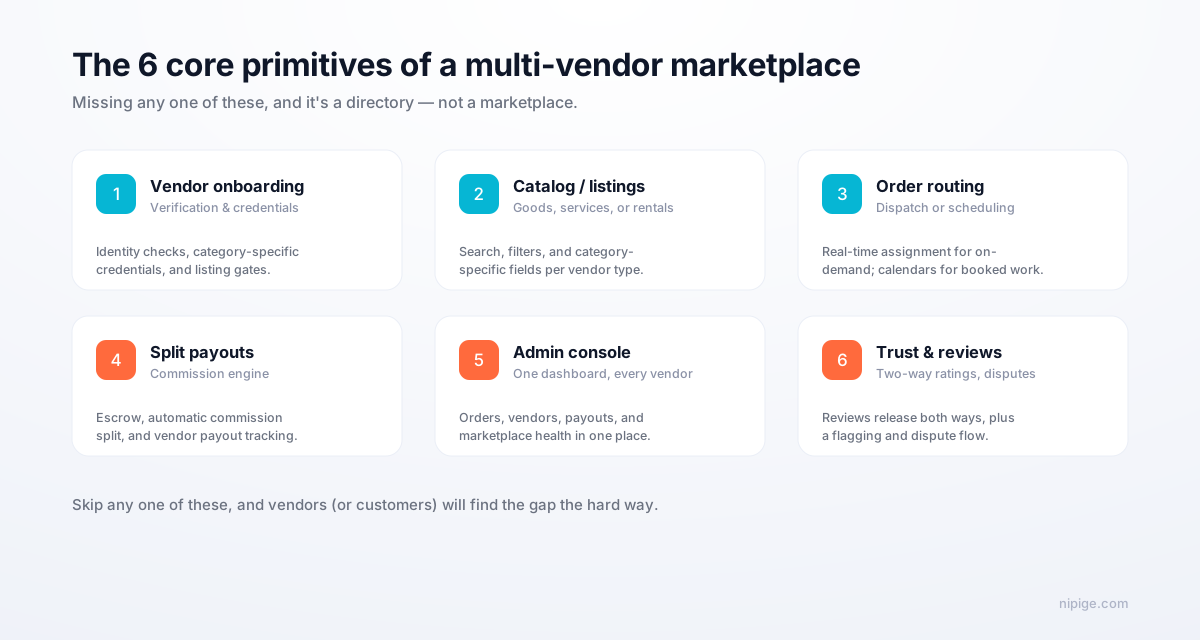
If a platform is missing any one of these, it isn't multi-vendor software, it's a single-vendor tool with a "vendors" table bolted on.
1. Vendor Onboarding, Verification, and Isolation
Each vendor needs their own account, their own data (menu, listings, or schedule), and a verification flow appropriate to what they're selling: a business license for a goods seller, insurance and credentials for a service provider, ownership or management proof for a rental host. Vendor A must never see Vendor B's orders, customers, or numbers.
2. Catalog or Listings, Per Vendor Type
Goods need SKUs, variants, and inventory counts. Services need a bookable calendar and provider availability. Rentals need a listing with dates, pricing rules, and photos. These are different data models, a platform that treats them all as "a product with a price" will fight you the moment your vertical needs something the goods model doesn't have.
3. Order Routing: Dispatch or Scheduling
On-demand verticals (food delivery, emergency repair, ride-hailing) need real-time dispatch: a job gets offered to nearby available vendors, first to accept gets it. Appointment-based verticals (professional services, rentals, most home services) need scheduling: a calendar, availability windows, and conflict prevention. Confusing the two is one of the most common multi-vendor build mistakes: dispatch logic bolted onto a scheduling system (or vice versa) never quite fits.
4. Commission and Split-Payout Engine
Every order or booking needs to divide automatically: your commission, the vendor's share, and, where applicable, funds held in escrow until the work is confirmed delivered. Stripe Connect is the default integration; Adyen for Platforms and Mangopay are common alternatives for multi-currency setups. If a platform tells you "you'll integrate payments yourself," budget 3 to 8 weeks and a real engineering project for that alone.
5. Admin Console Across All Vendors
One dashboard to see every vendor, every order, every payout, and marketplace-health metrics (liquidity, vendor response time, repeat-customer rate), not a separate view per vendor. This is the operator's actual cockpit; if it only shows GMV, you're flying blind exactly when you need the most operational visibility.
6. Two-Way Trust: Reviews and Dispute Resolution
Customers rate vendors, vendors rate customers, both release simultaneously after a hold period to prevent reciprocity bias. Add a flagging system and a written dispute-resolution policy. This mechanic, pioneered by Airbnb and now standard across every serious marketplace, is what turns a one-shot transaction into a reputation system.
Multi-Vendor Marketplace Models Compared
The six primitives are constant. The economics and urgency of each one shift a lot by vendor type.
| Model | Inventory unit | Typical take rate | Dispatch needed? | Trust mechanic |
|---|---|---|---|---|
| Goods marketplace | SKU / product | 10 to 20% | No | Product reviews, return policy |
| On-demand delivery | Order / delivery | 15 to 30% | Yes, real-time | Driver + vendor ratings, live tracking |
| Service marketplace | Booking / job | 8 to 25% | Sometimes (on-demand vs scheduled) | Two-way reviews, credentialing |
| Rental / booking marketplace | Listing / stay | ~17 to 19% combined | No | ID verification, two-way reviews |
For a deep dive on any one of these: see how DoorDash's five revenue streams work for on-demand delivery, our service marketplace software buyer's guide for the service model, or how to build a marketplace like Airbnb for the rental/booking model. The same multi-vendor model powers groceries, where each store is a vendor. See how to build a grocery app like Instacart. Your model shapes the build. See managed marketplace vs listing marketplace to pick before you start.
What It Costs to Build a Multi-Vendor Marketplace
Three honest paths, and the gap between them is bigger than most founders expect:
- Custom development from scratch: 6 to 18 months and a six-to-seven-figure Year 1 budget. Makes sense after product-market fit, rarely before it.
- Generic platform plus heavy customization: 12 to 24 weeks and a mid-five-to-six-figure budget, once you count the engineering time to bolt on the primitives a generic platform doesn't ship with.
- Purpose-built marketplace platform (SaaS): launch in 6 to 14 days from a few hundred dollars a month, because the six primitives above are already built for your vertical.
We break the full cost math down, path by path, in our complete marketplace cost guide for 2026, worth reading before you commit to a budget line.
Step-by-Step: Launch a Multi-Vendor Marketplace
Step 1: Pick your vendor type and operating model
Goods, services, or rentals? On-demand or scheduled? Each combination points to a different platform and a different take-rate range. Decide this before you demo a single tool.
Step 2: Choose your platform
Demo purpose-built options for your vertical first: a platform designed around service scheduling will always out-fit a generic one stretched to cover services. Confirm vendor onboarding, split payouts, and dispatch/scheduling are pre-built, not "on the roadmap."
Step 3: Configure your commission and vendor rules
Set your take rate (or flat subscription fee), your vendor verification requirements, and your dispute policy before you onboard a single real vendor.
Step 4: Onboard your first 20 to 50 vendors manually
Don't wait for vendors to find you. Recruit directly, offer a founding-vendor deal (reduced fees for the first cohort in exchange for completed listings and feedback), and get real inventory live before you open to customers.
Step 5: Soft launch to a small, closed customer group
Watch the first real transactions happen. Talk to both sides after every one. Fix what breaks before you open wider.
Opening wider is where most marketplaces stumble. Our guide to scaling a marketplace covers how to keep vendors and customers in balance as you grow, and why you expand one market at a time.
Common Mistakes
- Launching with one vendor and calling it multi-vendor. The isolation and payout-splitting logic only gets tested once a second vendor is live. Test it before customers do.
- Picking a goods-first platform for a service or rental model. The catalog, scheduling, and dispatch primitives genuinely don't transfer; retrofitting costs more than starting on the right platform.
- Underpricing the commission. A take rate below the sustainable range for your vertical (see the table above) looks generous until support costs catch up with you.
- Skipping the trust layer until "later." Reviews, verification, and dispute resolution are v1 features, not v2 polish. Vendors and customers both size up a marketplace by how it handles disputes on day one.
Frequently Asked Questions
What's the difference between a multi-vendor marketplace and a single-vendor store?
A single-vendor store has one seller and one catalog. A multi-vendor marketplace hosts many independent sellers under one storefront, each with isolated data, their own catalog or schedule, and their own payout, while the operator takes a cut and runs the platform in the middle.
What commission rate should I charge vendors?
It depends on the vendor type. Goods marketplaces commonly run 10 to 20%, on-demand delivery runs 15 to 30%, and service marketplaces run 8 to 25%. Below the low end of each range, support and trust-and-safety costs eat the margin; above the high end, vendors churn off-platform unless you add real value.
Do I need to build vendor onboarding and payouts myself?
No, this is exactly what a marketplace platform is for. Vendor verification, split payouts, and admin dashboards are pre-built on platforms like Nipige; building them from scratch is a multi-month engineering project most pre-PMF marketplaces can't afford.
Can one platform support goods, services, and rentals at once?
Some can, but purpose-built beats general-purpose almost every time. A goods catalog, a service-provider schedule, and a rental calendar are different data models under the hood, a platform designed around your specific vendor type will fit faster than a generic one stretched to cover all three.
How long does it take to launch a multi-vendor marketplace?
With a purpose-built marketplace platform: 6 to 14 days to a configured, branded launch. With a generic platform plus customization: 12 to 24 weeks. Custom development from scratch: 6 to 18 months. The bottleneck is almost never the software, it's onboarding your first real vendors.
The Next Step
The six primitives are the same whether you're building the next multi-restaurant delivery app, a home-services marketplace, or a rental platform. What changes is which platform ships them pre-built for your vertical. Nipige ships all six, configured for restaurant marketplaces, real estate and rental platforms, and service marketplaces, with $0 platform transaction fees on every tier.
Book a 20-minute walkthrough → See the vendor onboarding, split-payout engine, and admin console configured against your actual vendor type.
The Nipige team builds and operates production marketplace infrastructure - vendor onboarding, real-time dispatch, payments, and native apps - drawing on 13+ years of enterprise billing and monetization engineering at Trigital Technologies.