How to Build an On-Demand Service App: Real-Time Dispatch, Step by Step (2026)
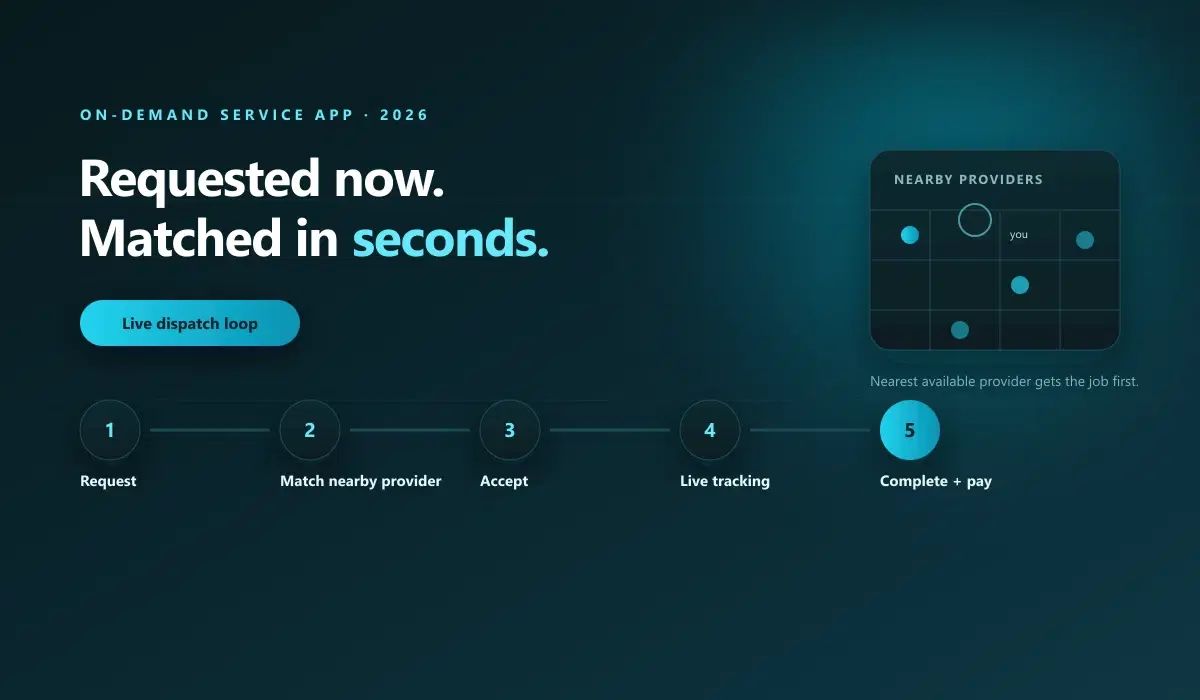
To build an on-demand service app you need real-time matching: customers post a job, nearby providers accept it, and the app manages it from request to completion and payment. You can code this or configure a ready platform like Nipige, which launches a branded on-demand service marketplace without code in about 14 days.
A scheduled service app books an appointment for next Tuesday. An on-demand service app finds someone who can be at your door in twenty minutes. That difference sounds small, but it changes almost everything about what you have to build: dispatch instead of a calendar, live tracking instead of a confirmation email, and provider availability that has to be accurate to the minute, not the day.
This guide covers what actually makes a service "on-demand," the real-time dispatch loop every on-demand app needs, what that requires beyond a normal booking flow, and a step-by-step plan to launch one.
What Makes a Service "On-Demand"?
The distinction is timing. A scheduled service — a haircut appointment, a consulting session, most professional services — is booked for a specific future slot. An on-demand service — a same-day repair, a ride, an emergency cleanup — is requested now and fulfilled as soon as a provider is available, typically within minutes to a couple of hours.
That timing difference forces a different technical foundation. Scheduled services need a calendar: availability windows, booking confirmation, reminders. On-demand services need dispatch: a live pool of available providers, a matching engine that assigns the nearest qualified one, and real-time tracking from acceptance to completion.
Confusing the two is one of the most common mistakes in a service-app build. A scheduling system bolted onto an on-demand use case (or the reverse) never quite fits, because the underlying data model is different — a calendar of future slots versus a live map of who's free right now.
The Real-Time Dispatch Loop, Step by Step
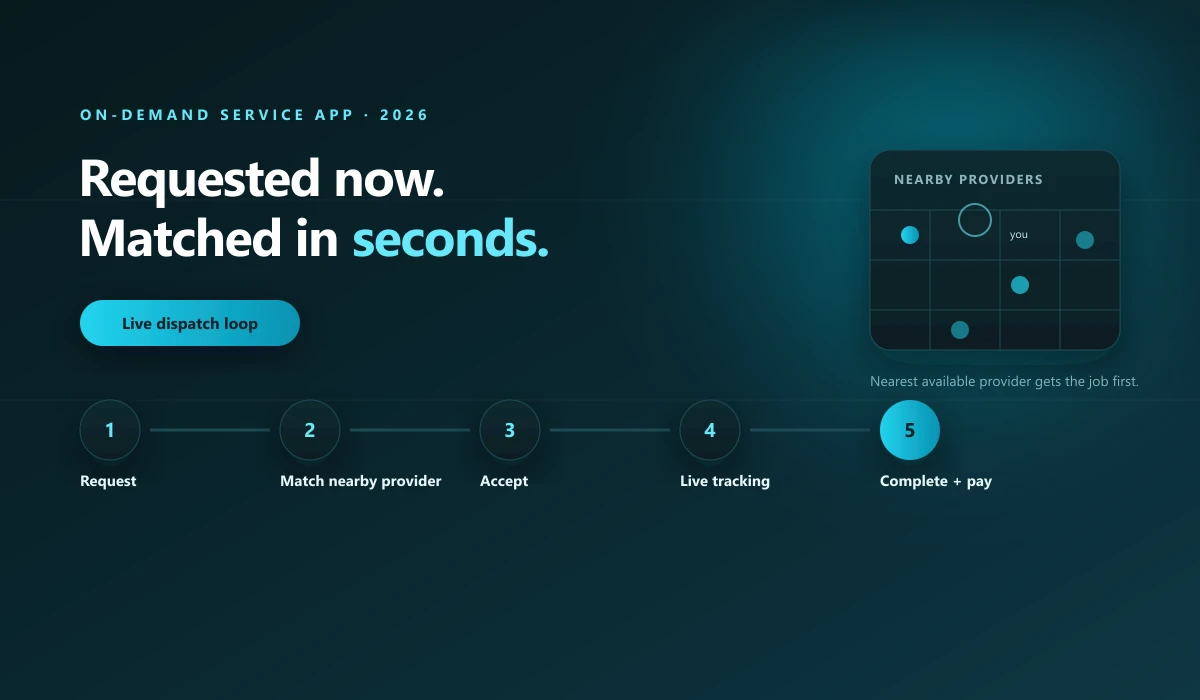
Every on-demand service app runs some version of this loop:
- Request. The customer describes the job — category, location, and any details the provider needs before accepting.
- Match. The system finds nearby available providers, filtered by skill, rating, and proximity, and offers the job to the best fit first.
- Accept or reassign. The provider accepts within a short window. If they don't respond, the job automatically offers to the next nearest available provider.
- Live tracking. The customer sees the provider's real-time location and an updating ETA from acceptance through arrival.
- Completion and payment. The job is marked complete, payment is captured and split between platform and provider, and both sides leave a rating.
Miss any step and the experience breaks. A request with no fast match feels broken. A match with no live tracking feels untrustworthy. This loop, done well, is the entire product.
What On-Demand Needs That Scheduled Services Don't
- Live provider availability. Not "available this week" — available right now, updated continuously as providers go online, accept jobs, and finish them.
- Real-time location and GPS. Both for matching (who's actually nearest) and for tracking (where's my provider now).
- Push notifications with background wake. A provider who's asleep on their phone until an app is opened will lose every job to a competitor with instant alerts.
- Automatic reassignment logic. Someone will always fail to respond in time. The system needs to move on to the next provider without a human intervening.
- Dynamic or surge-aware pricing. When demand outpaces available providers, on-demand services commonly flex price to bring more supply online, which a fixed-price scheduled booking never needs to do.
Step-by-Step: Launch an On-Demand Service App
Step 1 — Pick one category and one city
On-demand dispatch only works with enough active providers in a small enough area that "nearest available" actually means something. Start narrow: one service category, one city or district, enough providers to make same-hour fulfillment realistic.
Step 2 — Decide your dispatch model
Auto-assign to the single best-matched provider, or broadcast to several nearby providers and let the fastest acceptance win. Both work; pick based on how much provider choice matters in your category.
Step 3 — Recruit and onboard your first providers
Get 15–30 real, verified providers live in your launch area before opening to customers. Dispatch with five providers spread across a city fails immediately; dispatch with fifteen in one neighborhood works.
Step 4 — Configure pricing and payments
Set your take rate or subscription fee, your surge rules if you're using them, and connect a payment processor that supports split payouts to providers.
Step 5 — Launch, watch every dispatch, and fix response time first
In the first weeks, response time (how fast a request gets matched and accepted) matters more than volume. Watch every dispatch personally if you can. Slow matches are the failure mode that kills on-demand products before word of mouth ever gets a chance to help them.
What It Costs to Build One
A custom build with real dispatch, GPS tracking, and live provider availability typically runs 4 to 9 months and a mid-five-to-six-figure budget for an experienced team. A no-code platform with dispatch primitives already built ships a branded on-demand service app in about 14 days instead. For the full cost comparison across build paths, see our complete marketplace cost guide for 2026.
Frequently Asked Questions
What makes a service app "on-demand" instead of scheduled?
An on-demand service app matches a request to an available provider within minutes, not days. The customer wants the job done now. A scheduled service app books an appointment for a future date and time. The two need different technology: on-demand needs live dispatch, GPS, and availability tracking; scheduled needs a calendar.
What's the hardest part of building an on-demand service app?
Real-time dispatch: matching a request to the right nearby available provider within seconds, handling the case where a provider doesn't respond, and keeping accurate live availability for every provider at once. This is a different engineering problem than a booking calendar, and it's where most from-scratch builds underestimate the work.
Do I need a mobile app to launch an on-demand service?
Yes, for both sides. Providers need push notifications and background location to receive and act on dispatch requests in real time; customers expect live tracking once a provider is assigned. A responsive web app isn't enough once dispatch timing matters.
How long does it take to build an on-demand service app?
A custom build with real-time dispatch, GPS tracking, and provider availability typically takes 4 to 9 months. A no-code platform with dispatch already built in can launch a branded on-demand service app in about 14 days.
Can I start scheduled and add on-demand later?
Yes, and it's often the right sequence. Validate demand with appointment-based booking first, since it's simpler to build and operate, then add real-time dispatch once you have enough active providers in a market to make instant matching reliable.
The Next Step
Nipige's Services Marketplace template ships provider matching, real-time dispatch, and secure payments already built in — configure your categories and zones, connect Stripe or PayPal, and launch a branded on-demand service app in about 14 days, from $699/month with $0 platform transaction fees.
Book a 20-minute walkthrough → to see dispatch and live tracking configured against your own service category.
The Nipige team builds and operates production marketplace infrastructure - vendor onboarding, real-time dispatch, payments, and native apps - drawing on 13+ years of enterprise billing and monetization engineering at Trigital Technologies.